Meet the CREW, the agents that build your game
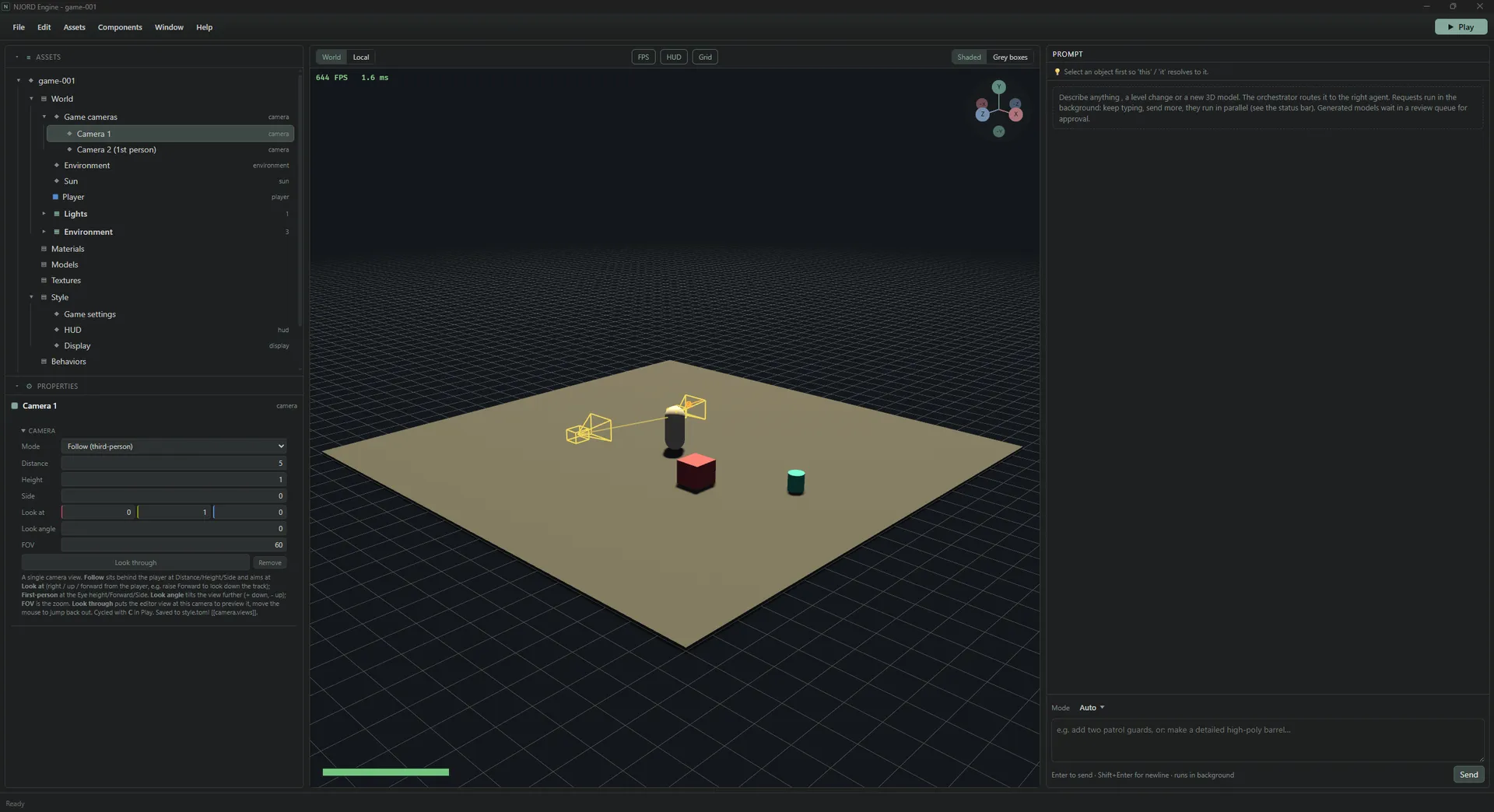
NJORD Engine is a game engine where a CREW of AI agents does the building. Describe the game, watch it render live in 3D, refine it, and export a native build.
NJORD Engine exists to keep creatives in the creative zone, instead of getting pulled into learning how to code and solving technical problems. For many people that is the hassle standing between an idea and a finished game, and this is an attempt to remove it.
If you're a 3D artist, or more focused on the story, the CREW, the AI agents, is here to help you turn your vision into a playable game.
Describe it, watch it build
You describe the game you want to create, its style and its story, and the CREW builds it alongside you.
The world renders live in 3D as it is generated, so you're looking at the thing itself rather than at a progress bar. When something isn't right, you either prompt the change or open the data and edit it by hand. When it is right, you export a native build.
How the CREW works
At the centre is an orchestrator that handles everything. Whenever something needs doing, it hands the job to the crew member specialised in that task: a 3D model that needs to be created, a sound that needs to be made, and so on. That crew member takes on the work, and when it's done, sends it back to the orchestrator.
So as the user, you just prompt the orchestrator in the prompt chat. You don't have to know which agent does what, or wire anything together yourself.
Yours to run, and yours to keep
- Your keys. NJORD Engine runs on your own AI keys.
- Your files. Projects are local files that you own.
- Free. The whole engine is free right now.
Only Windows builds work today, but there are big plans for Linux and Mac versions too.
Early days, and that's the point
The whole project is in early development, so it has bugs and limitations. As you find them, please report them on GitHub in as much detail as you can, so we can fix them.
That's the honest state of things, and also why it's worth a look now rather than later: you can influence what gets built, and how it works down the line.
Grab the current build from the releases page and see the Getting started guide to set it up.